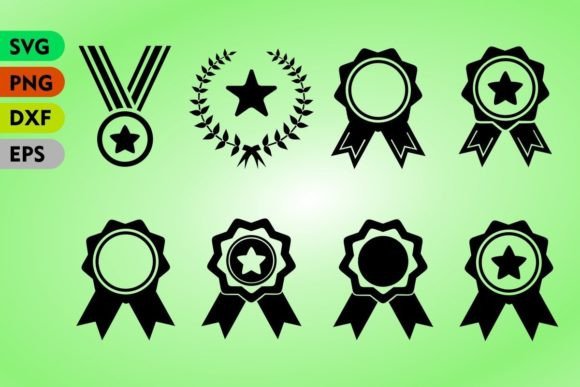
Integrating the Awards Badge Set into Professional Design Workflows
In the fast-paced environment of digital content creation, efficiency is not just a preference; it is a necessity. Whether you are a graphic designer finalizing a client’s branding package, a marketer launching a new loyalty program, or an educator creating engaging materials for students, the visual assets you choose can significantly impact the perceived value of your work. This is where a comprehensive Awards Badge Set becomes an indispensable resource. Rather than starting from scratch with every new project, utilizing pre-designed, high-quality vector elements allows creators to focus on strategy and customization rather than repetitive drafting.
The modern workflow demands versatility. A single asset often needs to function across multiple platforms, from high-resolution print brochures to scalable web icons. The Awards Badge Svg Png collection addresses this need by providing files that are not only aesthetically pleasing but also technically robust. By understanding how to integrate these assets into your existing processes, you can streamline production, maintain brand consistency, and elevate the final output without increasing workload.
Understanding the Technical Advantage of Vector Formats
To fully leverage the potential of an awards badge collection, one must first understand the technical distinctions between the file formats provided. The inclusion of SVG (Scalable Vector Graphics) and EPS10 files is critical for professional implementation. Unlike raster images, which are composed of pixels and can become pixelated when enlarged, vector files use mathematical paths to define shapes. This means they are openable, editable, and resizable without losing quality.
For web developers and UI designers, the SVG format is particularly valuable. It ensures that badges remain crisp on retina displays and high-DPI screens, contributing to a polished user experience. Furthermore, SVGs are code-based, allowing for direct manipulation via CSS or JavaScript. This enables dynamic interactions, such as changing colors on hover or animating the badge upon page load, which adds a layer of sophistication to digital interfaces.
Conversely, the EPS10 format serves as the backbone for print design. Compatible with industry-standard software like Adobe Illustrator and CorelDRAW, these files allow for precise editing of individual elements within the badge. Designers can adjust curves, modify typography, or recolor specific segments to align perfectly with corporate brand guidelines. The ability to edit these vectors ensures that the badge does not look like a generic clipart addition but rather a bespoke element tailored to the specific project.
Strategic Implementation Across Different Industries
The utility of an Awards Badge Set extends far beyond simple decoration. Its application varies significantly depending on the industry and the specific goals of the project. Here is how different professionals can integrate these assets into their workflows:
- Marketing and E-commerce: Badges are powerful psychological triggers. Placing a "Best Seller," "Top Rated," or "Limited Edition" badge on product images can influence purchasing decisions. Marketers can use the PNG files for quick overlays on product photos or the SVGs for scalable icons in email newsletters. The key is consistency; using a unified badge style across all campaigns reinforces brand identity.
- Education and E-Learning: Gamification is a proven method for enhancing student engagement. Educators and course creators can use these badges as rewards for completing modules, achieving high scores, or participating in discussions. The variety of designs allows for a tiered reward system, where simpler badges represent minor achievements and more intricate designs signify major milestones.
- Corporate Communications: Internal recognition programs benefit greatly from visual symbols of achievement. HR departments can incorporate these badges into digital certificates, employee handbooks, or internal newsletters. The professional aesthetic of high-quality vector templates ensures that the recognition feels substantial and valued.
- Print-on-Demand and Merchandise: For entrepreneurs selling t-shirts, mugs, or stickers, the EPS and SVG files are essential. They allow for seamless integration into complex designs without background issues. The scalability ensures that the badge looks sharp whether printed on a small sticker or a large poster.
Workflow Integration: From Selection to Final Output
Integrating the Awards Badge Svg Png set into your daily routine requires a structured approach to asset management. Randomly downloading and inserting files can lead to disorganization and version control issues. Instead, adopt a systematic workflow that maximizes efficiency.
Phase 1: Preparation and Organization
Before beginning a design project, establish a dedicated folder for assets. Unzip the downloaded package and organize the files by format (JPG, PNG, SVG, EPS). If you are working on a long-term brand project, consider creating a sub-folder for "Approved Brand Elements" where you store the specific badges that have been customized to match your color palette. This prevents the need to re-edit the same files repeatedly.
Phase 2: Customization and Adaptation
Open the vector files in your preferred design software. This is the stage where you ensure alignment with your project’s visual language. Adjust the colors to match your hex codes, modify the text if the badge includes editable labels, and tweak the proportions if necessary. Because the files are vector-based, you can isolate specific elements—such as removing a ribbon or changing a star to a checkmark—to create unique variations without compromising the integrity of the original design.
Phase 3: Export and Deployment
Once customization is complete, export the files in the appropriate format for their intended use. For web use, optimize the SVGs to reduce file size, ensuring faster page load times. For print, save the EPS or high-resolution PNG files with the correct color profile (CMYK for print, RGB for screen). Always perform a quality control check at this stage to ensure that no elements have shifted during the export process.
Ensuring Consistency and Quality Control
One of the most common pitfalls in using pre-made assets is inconsistency. When badges are pulled from different sources or used haphazardly, the final design can appear cluttered and unprofessional. To avoid this, treat the Awards Badge Set as a cohesive design system. Limit the number of badge styles used within a single project. If your brand relies on minimalist aesthetics, choose the simpler badges from the set and avoid overly ornate options.
Additionally, pay attention to hierarchy. Badges should complement the primary content, not overpower it. Use size and placement strategically to guide the viewer’s eye. For instance, a "New Arrival" badge should be prominent enough to catch attention but small enough not to obscure the product details. Testing different placements during the design phase can help determine the optimal balance between visibility and clarity.
Long-Term Value and Scalability
Investing in a high-quality Awards Badge Svg Png collection offers long-term benefits that extend beyond immediate projects. As your business or creative practice grows, having a library of versatile, editable assets reduces the time spent on routine design tasks. This accumulated efficiency allows you to take on more clients, produce more content, or focus on higher-level strategic initiatives.
Moreover, the adaptability of vector files ensures that your assets remain relevant even as design trends evolve. You can easily update colors or minor details to refresh the look without needing to purchase new assets. This sustainability in design resources contributes to a more cost-effective and environmentally conscious workflow, reducing the need for constant new acquisitions.
In conclusion, the Awards Badge Set is more than just a collection of graphics; it is a tool for enhancing productivity, maintaining quality, and driving engagement. By understanding the technical capabilities of the included formats and integrating them thoughtfully into your workflow, you can achieve professional results with greater ease. Whether you are designing for web, print, or educational purposes, these versatile elements provide the foundation for impactful visual communication.